
SMS Consent
How Nexi Event collects consent to send text messages
Who sends the messages
Nexi Event is a live event coordination platform. Event organizers ("Hosts") use Nexi Event to add their guests' phone numbers so guests can receive event invitations, timeline updates, and announcements by SMS, delivered via our provider Twilio.
How guests opt in (our only opt-in method)
End-users can opt in to receive SMS updates in one of two ways: by scanning a QR code displayed at the event, or by opening a shareable check-in link provided by the event organizer. Both methods direct guests to the same public check-in page (URL pattern: https://www.nexievent.com/e/[event-token]/checkin), and no login or account is required.
On the check-in page, guests identify themselves by entering their name. Beneath the identification field is a separate, unchecked-by-default SMS consent checkbox:
Mobile number for these updates
Only shown once the checkbox above is checked.
Checking in does not require selecting this checkbox. Guests who wish to receive SMS updates for the current event voluntarily check the box and, in the field revealed immediately beneath it, provide or confirm their mobile phone number. SMS consent is recorded only after the checkbox is checked and a phone number is entered, and SMS notifications are sent only for that specific event. If the checkbox is left unchecked, no SMS consent is recorded and no SMS messages are sent.
Live screenshots
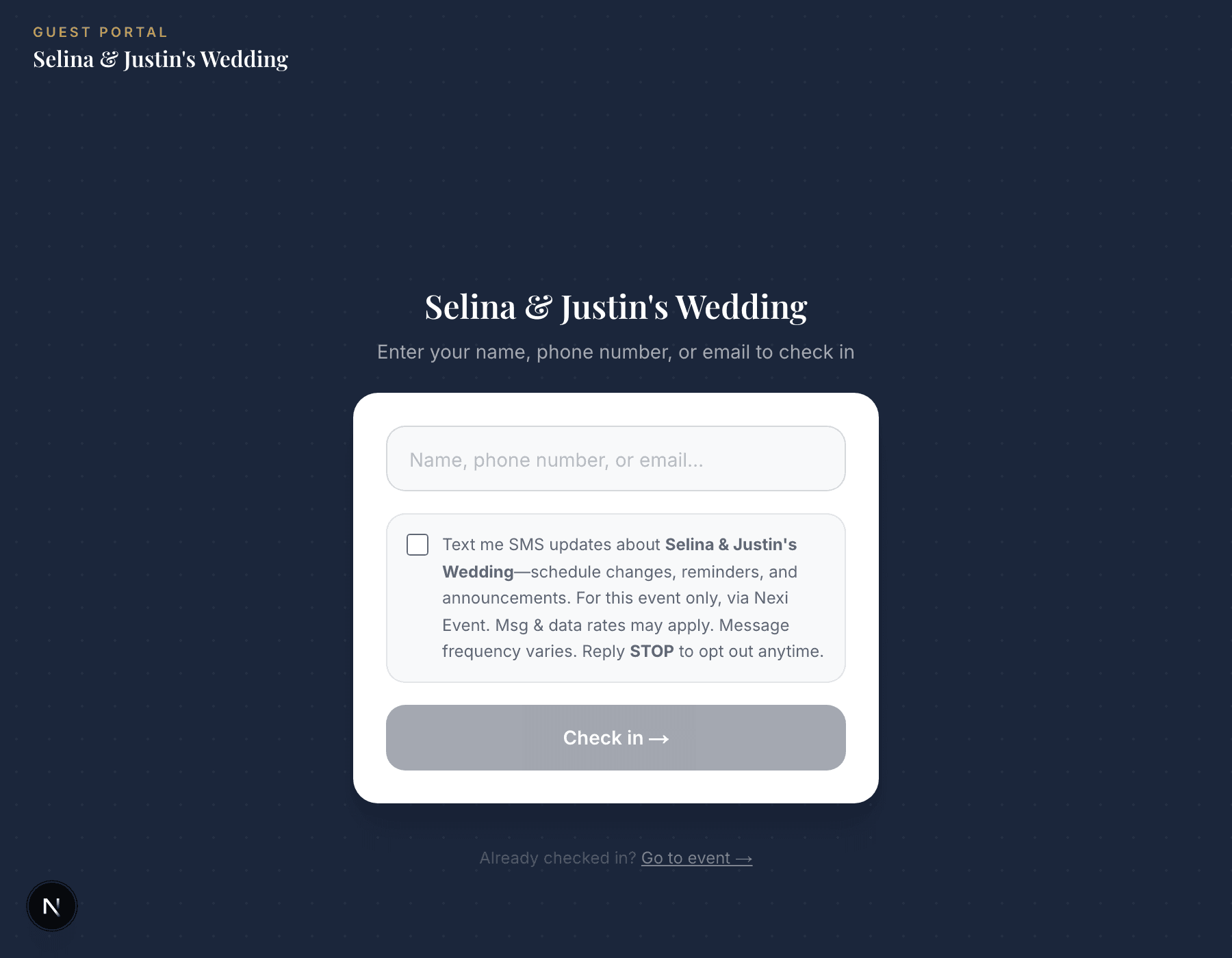
Default state — checkbox unchecked.
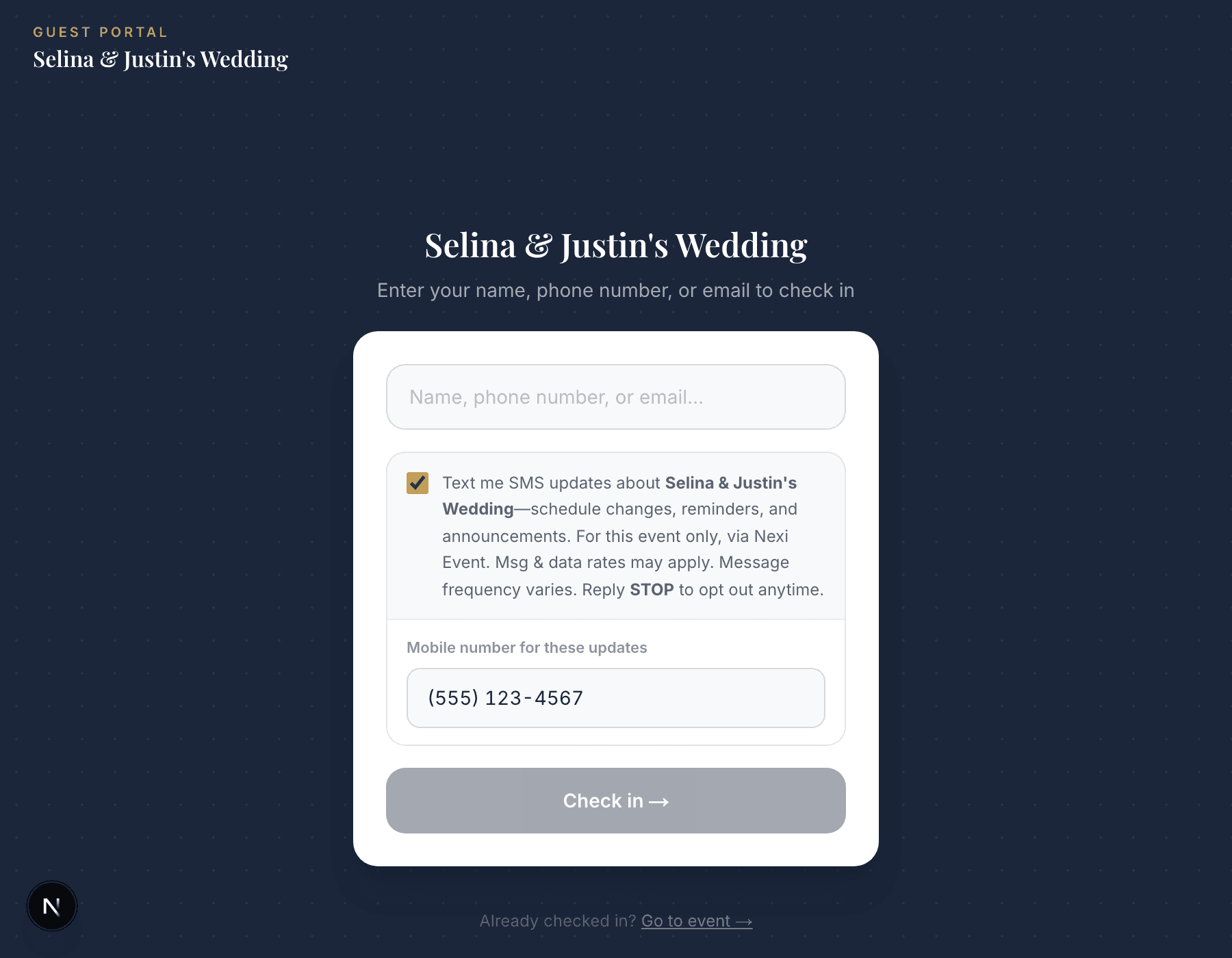
After checking the box — phone number field revealed.
Captured from the live, public check-in page. The event name shown belongs to a real Nexi Event test event, used here for illustration only.
What guests receive
Before confirming: nothing. Adding a guest to the list never triggers a text on its own — no SMS is sent until the guest checks the opt-in box on the check-in page themselves.
After confirming: event invitations, timeline updates, and announcements from the Host. Any reply of STOP is honored immediately and permanently; a reply of HELP returns support contact information.
Sample messages
1. Event content (sent only after the guest has confirmed via the check-in checkbox)
2. HELP response
3. STOP confirmation
More information
For full details on data handling and SMS practices, see our Privacy Policy (Section 3b) and Terms of Service (Section 5a). Questions can be directed to support@nexievent.com.