
Live event coordination
Everyone knows
exactly what's happening.
Nexi Event keeps hosts and guests in sync on the day of the event. Live timelines, instant seating-finding, real-time check-ins, and flash announcements all from your phone.
Under 1 min
AI timeline generation
One QR Code
Seating, schedule & directions
Live Updates
Instant announcements
Frictionless
No app or download required
Unrivaled precision
Every detail, exactly where it should be
A toolkit for hosts who want everything to go exactly as planned.
AI Timeline Builder
Describe your wedding in a sentence and let AI generate a complete timeline in under a minute. Edit anything with a few clicks.
Simple Seating
Copy and paste your guest spreadsheet. Guests scan a QR code to instantly find their table and seat, no searching, no asking.
Live announcements
Automated notifications for guests. Broadcast changes gracefully without ever raising your voice.
Three steps
Up and running in minutes
01
Create your event
Name your event, set the date, and add your venue. Takes under two minutes.
02
Invite your guests
Share a link or QR code. Guests open it on their phone and see everything — no app, no sign-up required.
03
Run the day
Push announcements, update the timeline on the fly, and keep every guest in the loop — all from your phone.
For hosts
Plan it all from one place
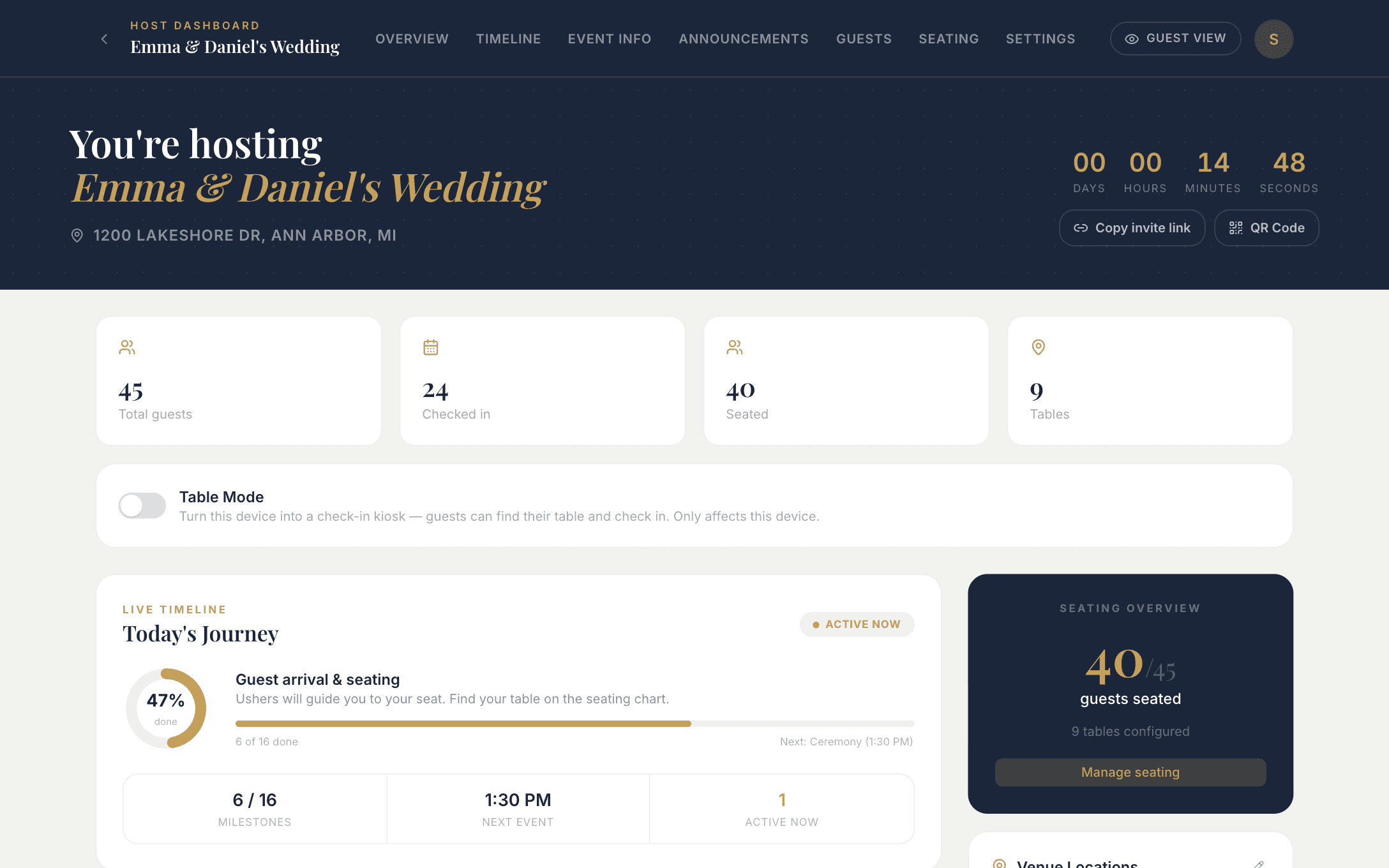
Your event at a glance
Live check-ins, seating progress, and what's happening now, with your guest link and QR code one tap away.
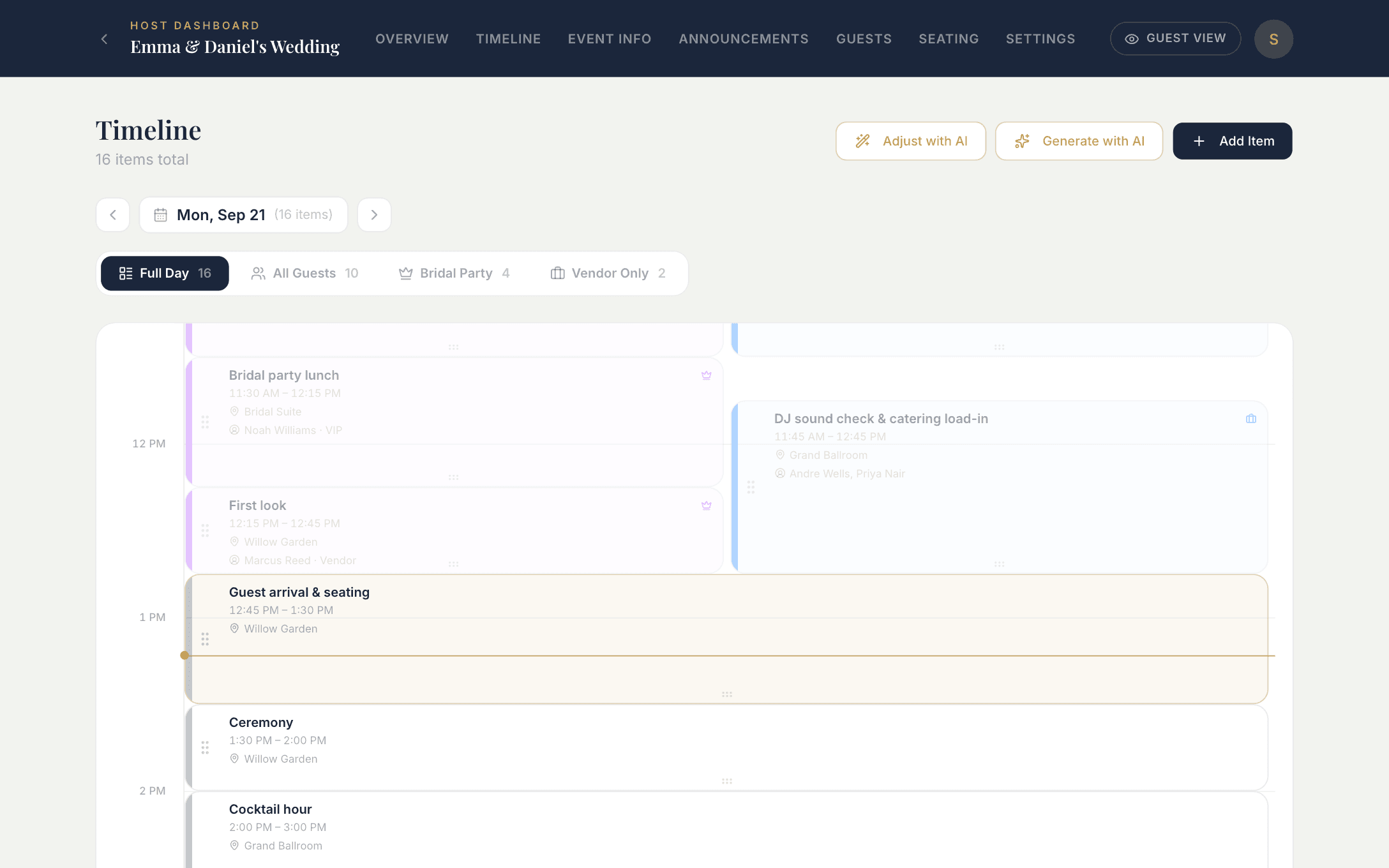
Build and adjust the day-of schedule
Drag items to reschedule, stretch them to change the length, or generate a full day with AI. Choose who sees each item: everyone, VIPs, or vendors.
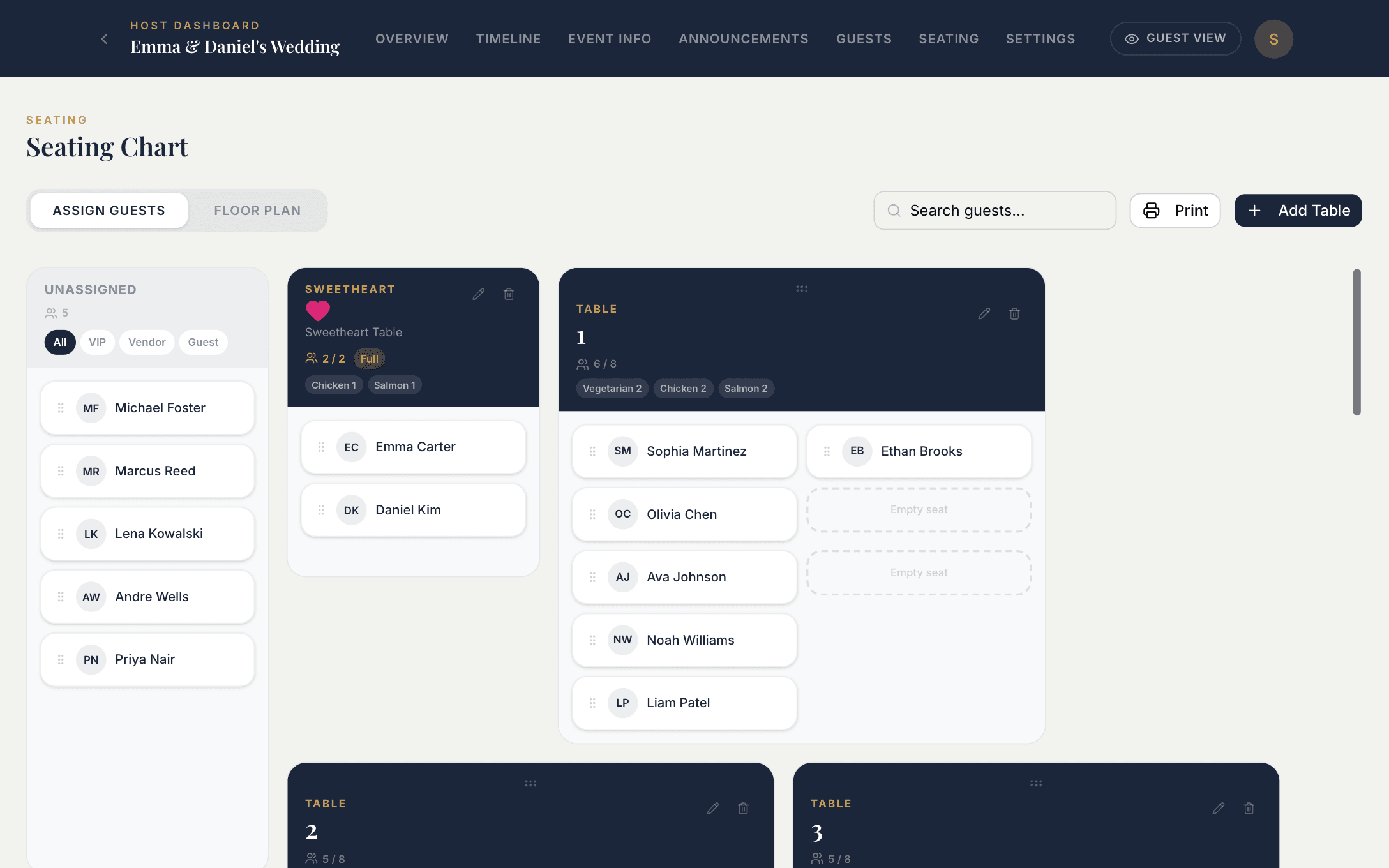
Drag-and-drop seating chart
Paste in your guest spreadsheet and assign tables and seats. Changes show up on every guest's phone straight away.
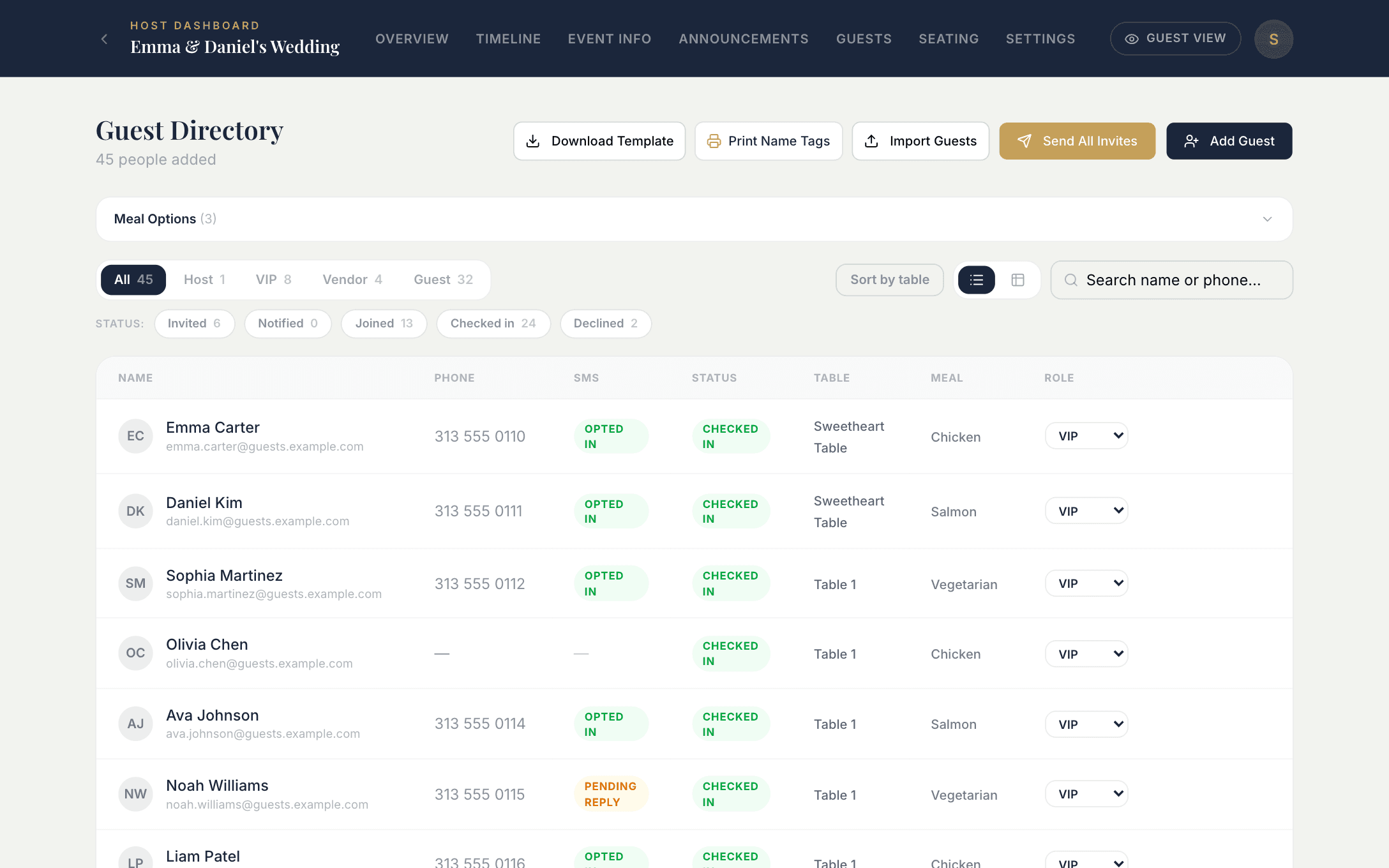
One guest list for everything
Every guest's meal choice, table, RSVP status, and contact details sit side by side. When it's time for the big day, print name tags for the whole party with one button.
For guests
Nothing to download, nothing to figure out
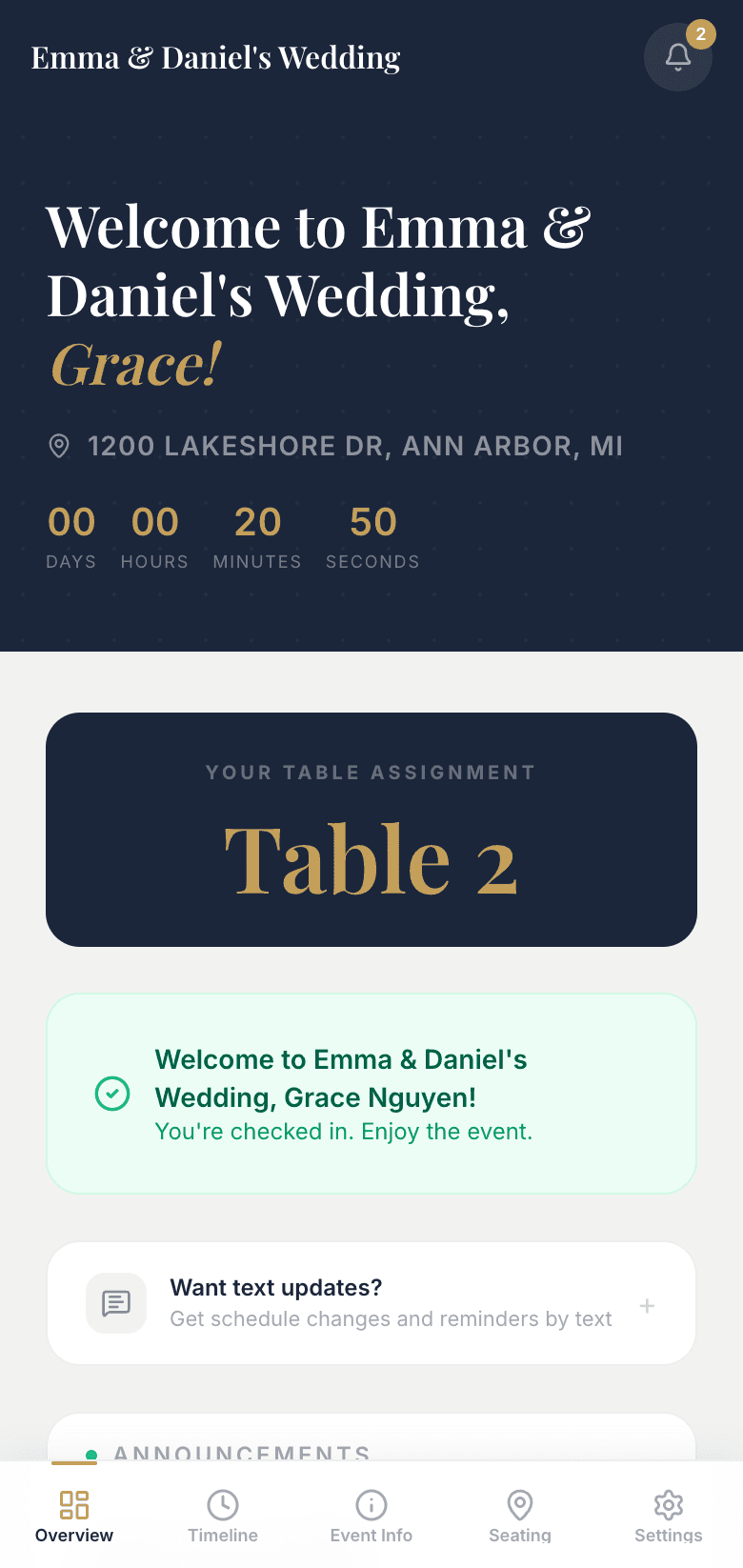
Everything in one link
Guests open your link and see the countdown, their table, and live announcements. No app and no sign-up.
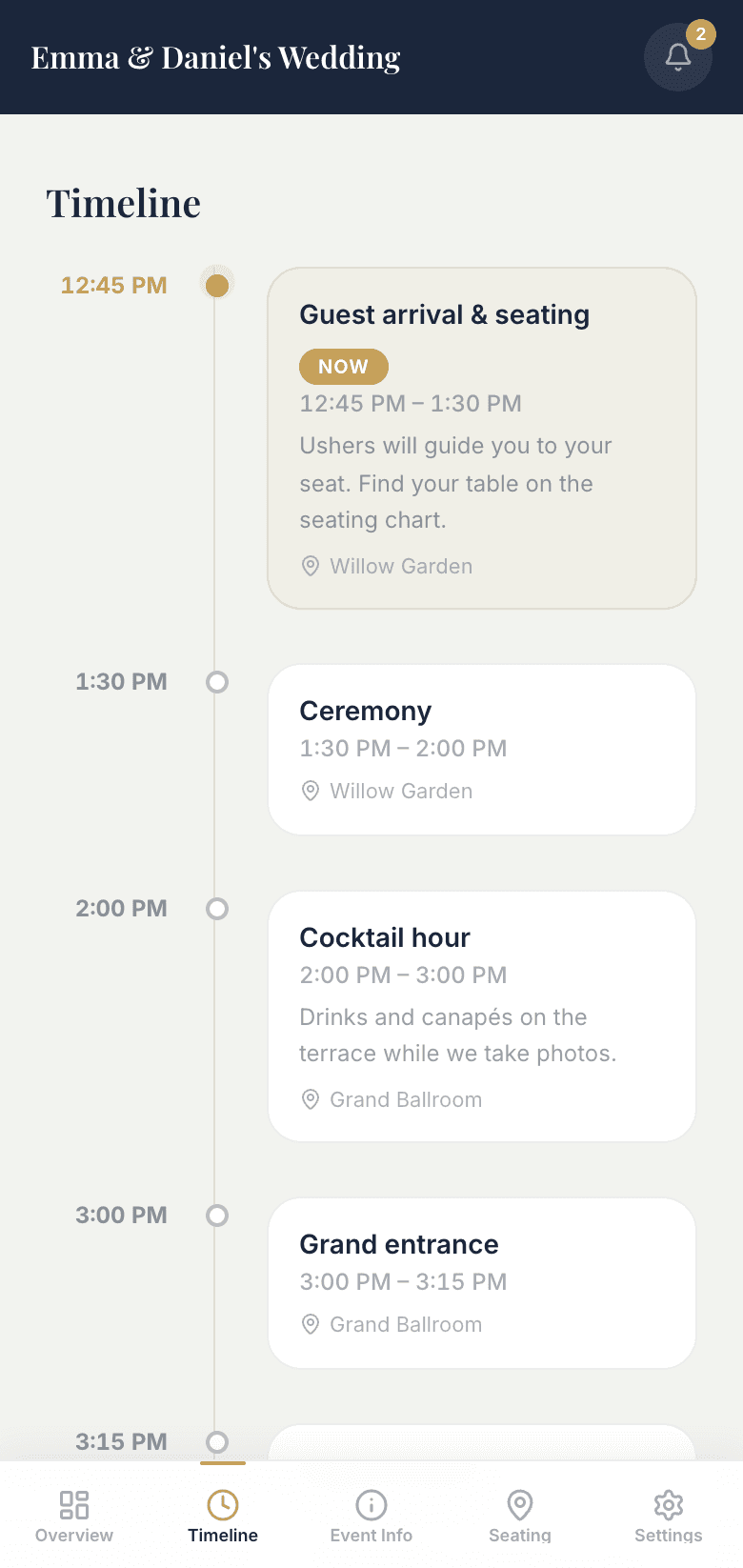
Always know what's next
A live schedule that follows the day: what's happening now, what's coming up, and where to be.
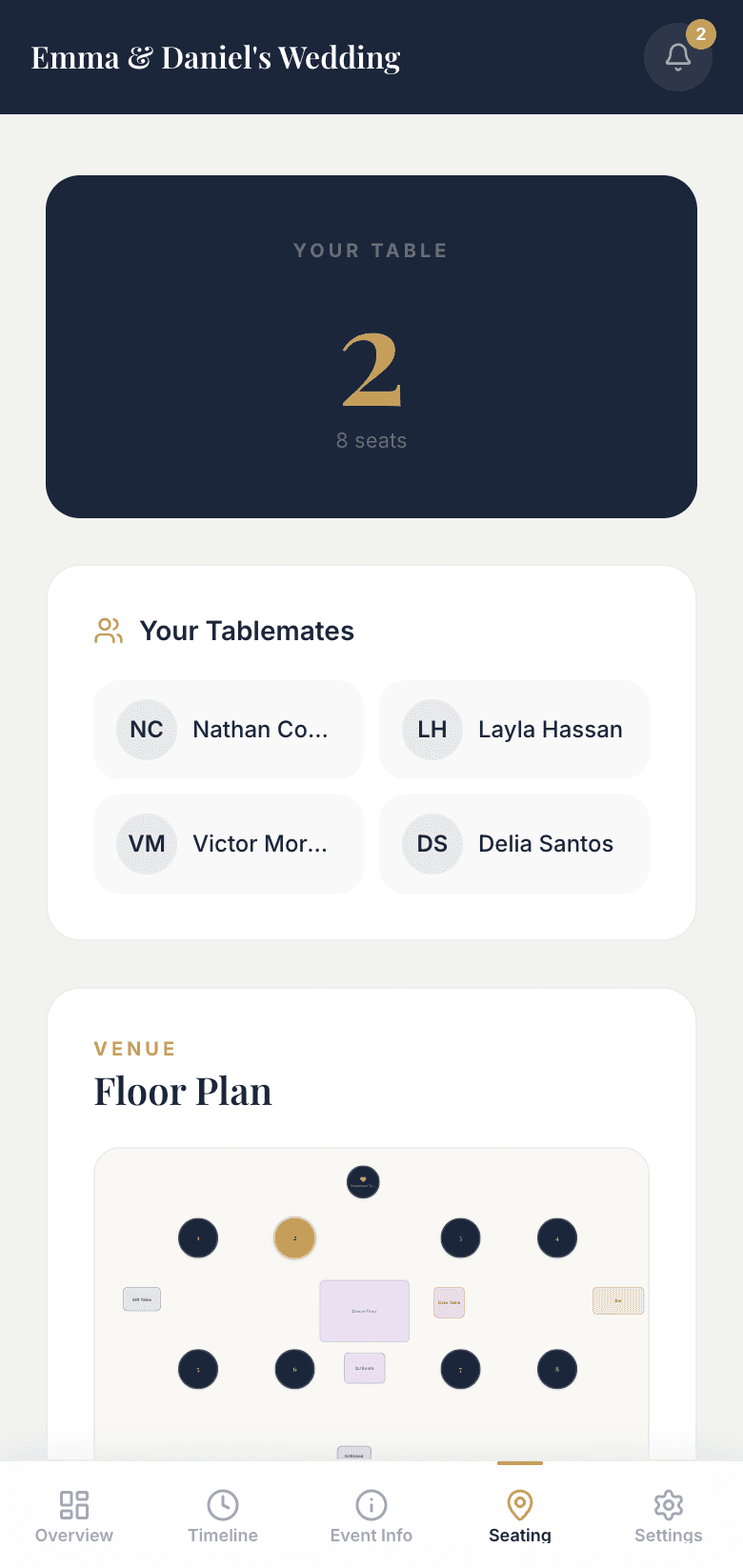
Find my seat
Guests scan the QR code and see their table, their tablemates, and the venue floor plan. No searching and no asking.
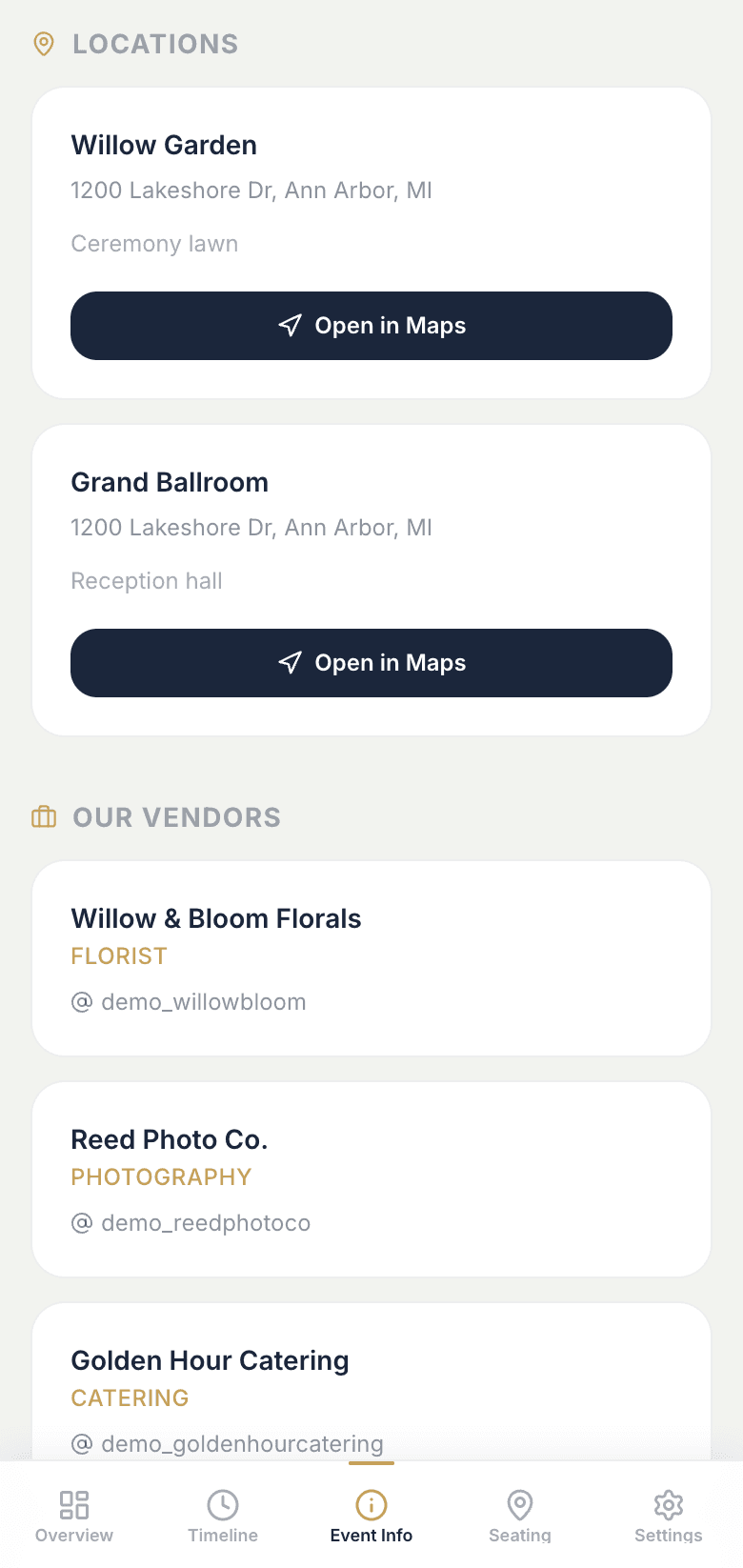
Where to be, and who's who
Venues with one-tap directions, the vendors behind your day, and answers to the questions guests would otherwise text you about.
What hosts say
Trusted by event organizers
At my previous events, guests would arrive and report their names at the registration table. The staff then had to search through the guest list to verify their names before allowing them to enter. When many guests arrived at the same time, long lines would often form, causing unnecessary delays.
This was the first time I used the QR code check-in service provided by Nexi, and it made a huge difference. Guests simply scanned the QR code with their phones upon arrival, checked in instantly, and walked right into the event. The process was fast, convenient, and completely hassle-free.
It's an excellent service that saves both time and effort. I highly recommend it to anyone organizing events. Thank you!
Event Host
Nexi Event user

Good to know
Frequently asked questions
Do my guests need to download an app or make an account?
No. Guests open your link or scan your QR code and see everything on their phone: the schedule, their table, announcements, and event details. No app and no sign-up.
How do guests find their table?
Share the QR code at the door or in your invitations. Guests see their table number, who they're sitting with, and the venue floor plan. Paste in your guest spreadsheet and assign seats in the seating chart, and it's ready.
What if the schedule changes on the day?
Edit or drag items on your timeline and guests' schedules update automatically within seconds. You can also send an announcement to let everyone know.
Can I control who sees what?
Yes. Each timeline item can be visible to everyone, to just your bridal party or VIPs, or to vendors only. Your florist and DJ can see their own run of show without the rest of your guests seeing it.
Can I print name tags?
One button on your guest list creates a printable sheet of folded name tags, with each guest's name and meal choice on the front and their table number on the back.
Get in touch
Contact us
Questions about Nexi Event, a demo request, or something else, reach out and we'll get back to you.